
How to Maintain a Generator After a Power Outage
Learn essential generator maintenance after a power outage steps to keep your standby system reliable and ready for the next storm.
What to Do for Generator Maintenance After a Power Outage
Generator maintenance after a power outage is something every Houston-area homeowner with a standby system should take seriously — and act on quickly. Once utility power comes back, it's easy to breathe a sigh of relief and move on. But the hours and days right after an outage are actually the most important time to check your generator.
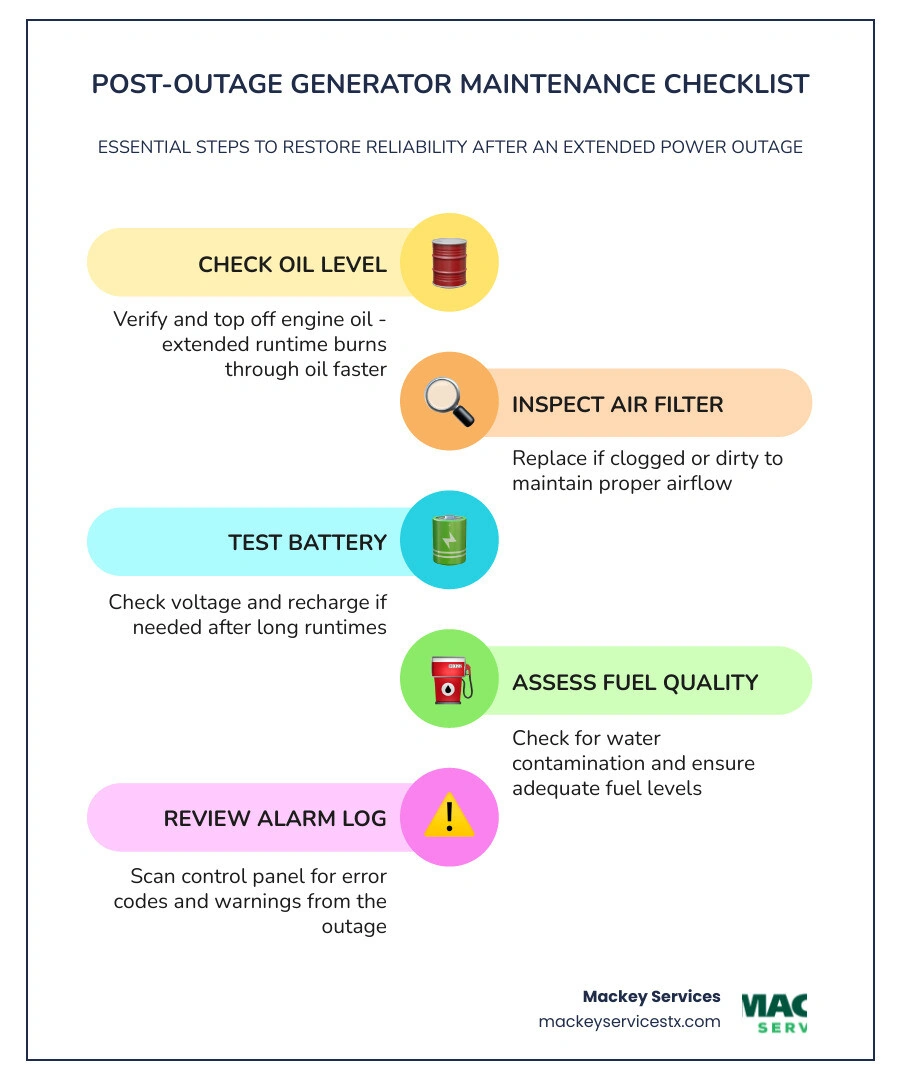
Here's a quick summary of the essential post-outage maintenance steps:
- Check the oil level — Extended runtime burns through oil faster than normal operation
- Inspect the air filter — Replace if clogged or dirty
- Test the battery — Cold or long runtimes can drain battery capacity
- Assess fuel quality — Look for water contamination or low fuel levels
- Review the alarm and fault log — Check the control panel for any error codes or warnings that triggered during the outage
- Return the unit to AUTO mode — Confirm the status light is green and the main line circuit breaker is set to ON
- Schedule a professional inspection — If the generator ran for more than 24 hours, a technician should verify oil, filters, and overall system health
Skipping these steps is a gamble. Research shows that poorly maintained generators fail at a rate 63% higher than those that receive regular care. In 2020, electricity customers across the U.S. dealt with more than eight hours of power interruptions on average — and in the Houston area, that number can climb much higher during hurricane season. Your generator worked hard to protect your home. Now it's time to return the favor.
Why Post-Outage Care is Essential for Standby Systems

When the skies clear over Dickinson, League City, or Friendswood after a major Gulf storm, our standby generators finally get to rest. However, leaving them alone until the next blackout is a recipe for system failure. A home standby generator is essentially a high-performance car engine wrapped in a weatherproof metal box. When it runs continuously for 12, 24, or 48 hours to keep your air conditioning and refrigerator running, it experiences a massive amount of mechanical stress.
Many homeowners wonder: Do Backup Generators Require Maintenance even if they ran perfectly during the storm? The short answer is yes. In fact, most generator failures do not happen in the middle of a storm; they occur at the start of the next power outage because post-outage care was neglected.
During an extended run, engine oil breaks down, losing its viscosity and lubricating properties. Small leaks can develop under continuous thermal expansion, and air filters can quickly choke on dust, pollen, and storm debris. By taking a proactive approach to generator maintenance after a power outage, you prevent minor issues from turning into catastrophic failures. Investing a little time in post-outage care helps you avoid emergency repair bills that can easily exceed $2,000, keeping your system reliable for a fraction of that cost.
Step-by-Step Guide to Generator Maintenance After a Power Outage
Before you touch any internal components of your standby generator, safety must be your top priority. These machines generate high-voltage electricity and contain hot, moving mechanical parts.
Always follow these safety steps before performing any physical inspection:
- Open the generator lid and press the OFF button on the control panel.
- Switch the Main Line Circuit Breaker (MLCB) inside the generator enclosure to the OFF (open) position.
- Remove the main utility fuse or turn off the generator breaker in your home's main electrical panel to prevent any accidental startup.
- Let the engine cool down completely (usually 30 to 45 minutes after shutting down) to avoid severe burns from the exhaust block or engine manifold.
To keep your investment protected, consult our Whole Home Generator Investment Guide 2026 for details on how different systems handle extended runtimes under our unique Texas climate conditions.
Performing Post-Outage Checks and Oil Changes
Once the generator is safe and cool, you can begin the hands-on inspection:
- Check the Oil Level: Pull the dipstick out, wipe it clean with a lint-free rag, reinsert it fully, and pull it back out. The oil level must sit between the two indicator marks. If it is low, top it off with the manufacturer-recommended synthetic oil (typically 5W-30 or 10W-30, depending on the model and outdoor temperatures).
- Inspect the Air Filter: Unclasp the air cleaner cover and pull out the paper filter element. Hold it up to a light source. If you cannot see light through the pleats, or if it is caked with dirt and debris from the storm, replace it. A clogged air filter starves the engine of oxygen, causing it to run rich, lose power, and burn excess fuel.
- Inspect the Spark Plugs: Carefully remove the spark plug wires and use a spark plug socket to remove the plugs. Look for heavy carbon buildup, wet fuel residue, or cracked porcelain insulators. Clean or replace the spark plugs as necessary, and ensure they are properly gapped according to your owner's manual specifications.
- Change the Oil and Filter (If Needed): If your generator has run for 24 to 48 continuous hours, it is highly recommended to perform a full oil and filter change. Drain the old oil into an approved container, replace the oil filter with a fresh OEM filter, and refill the crankcase with high-quality synthetic oil.
Managing Fuel Quality and Battery Health
Two of the most common reasons a generator fails to start during an emergency are contaminated fuel and a dead battery.
- Fuel Quality: For natural gas and liquid propane (LP) systems common in places like Pearland and Friendswood, fuel degradation is rarely an issue. However, if your standby unit runs on diesel, or if you are using a portable generator as a secondary backup, fuel quality is critical. High humidity along the Texas coast can introduce condensation and moisture into fuel tanks. Check your fuel water-separator, drain any accumulated water, and add a high-quality fuel stabilizer if the fuel will sit for more than a few weeks.
- Battery Health: Your generator's battery is its heartbeat. If the battery is weak, the unit will not start, leaving you in the dark. Inspect the battery terminals for white or green powdery corrosion. Clean the terminals with a wire brush and a mixture of baking soda and water. Use a digital multimeter to test the battery voltage; it should read at least 12.6 volts when the unit is off. If the battery is more than three years old, it is wise to replace it proactively.
To understand why keeping these critical systems in top shape matters, explore the 10 Benefits of Installing a Backup Generator and how a well-maintained system provides seamless protection for your family.
Safely Returning Your System to Automatic Standby Mode
After you have completed your physical inspections, oil changes, and fluid top-offs, you must correctly reassemble and reset the unit. If you skip this process or perform it out of order, the generator may display a "Ready to Run" status but fail to start automatically when the next power outage strikes.
For homeowners wondering, Is a Whole House Generator a Wise Investment, the true value of these systems lies in their hands-free operation. But they can only protect your home if they are properly armed and set to monitor the electrical grid.
How to Safely Reset and Return to AUTO Mode After Generator Maintenance After a Power Outage
To return your standby generator to its automatic monitoring state, follow this precise sequence:
- Reinstall All Panels: Make sure the air filter cover, engine access panels, and side intake barriers are locked securely back in place.
- Reinsert the Control Panel Fuse: If you removed the 7.5A fuse from the control panel during maintenance, slide it back into its slot.
- Clear Maintenance Reminders: If a yellow maintenance light or warning was active on your control screen, navigate through the menu to reset the maintenance counter.
- Press the AUTO Button: Locate the control interface and press the AUTO button. Look for a solid green LED light to illuminate next to the word "Auto" or "Ready to Run."
- Switch the Main Breaker ON: Flip the generator's Main Line Circuit Breaker (MLCB) back to the ON (closed) position. This allows power to flow from the generator to your home's transfer switch during an outage.
- Close and Lock the Lid: Ensure the outer cabinet is closed and locked to keep out rain, pests, and unauthorized hands.
Note: If you are returning the unit to AUTO mode while a utility outage is still actively occurring, let the engine run with no electrical load for at least one minute before flipping the MLCB to the ON position. This allows the engine to stabilize before taking on your home's electrical demand.
Troubleshooting Alarms and Faults During Generator Maintenance After a Power Outage
If your generator shut down unexpectedly during the outage, or if a red alarm light is glowing on your control screen, do not simply clear the code and ignore it. The system shut down to protect itself from severe damage.
Common faults include:
- Overcrank: The engine tried to start multiple times but failed. This is often caused by fuel supply issues or a failing spark plug.
- Low Oil Pressure: The engine detected a drop in oil levels or a failing oil pump. Check your oil level immediately.
- High Temperature: The unit overheated. This can happen if the air intake or exhaust vents are blocked by leaves, debris, or if the unit is placed too close to a wall without proper clearance.
Always check the event history log on your control panel to see exactly when and why the fault occurred. If your area experienced severe weather, lightning strikes can also trigger electrical faults. Learn more about how to protect your system from electrical surges in our guide on How Lightning Can Affect Your Homes Backup Generator.
When to Schedule Professional Generator Maintenance
While basic fluid checks, visual inspections, and cleaning are easy tasks for most homeowners, standby generators are complex machines that require professional attention. If your generator ran continuously for more than 24 hours during an outage, or if it has been more than a year since its last comprehensive tune-up, it is time to call in the professionals.
At Mackey Services, our certified electricians and technicians have been keeping Houston-area homes safe and powered since 1992. We provide expert Generator Services across the region, including Dickinson, League City, Friendswood, and Pearland. Our team can perform advanced diagnostic tests, such as load bank testing, to ensure your generator can handle its full electrical capacity without overheating or stalling.
| Maintenance Task | DIY (Homeowner) | Professional Technician | Recommended Frequency |
|---|---|---|---|
| Clear debris from enclosure | Yes | Yes | Weekly / Post-Storm |
| Check engine oil level | Yes | Yes | After every 8-24 hours of run time |
| Inspect battery terminals & clean corrosion | Yes | Yes | Monthly |
| Replace engine oil and oil filter | No (Recommended Pro) | Yes | Every 100 hours of run time or annually |
| Replace air filter & spark plugs | No (Recommended Pro) | Yes | Every 200 hours of run time or annually |
| Check battery voltage and charge rate | No | Yes | Every 6 months |
| Load bank testing & transfer switch check | No | Yes | Annually |
| Review and clear advanced diagnostic fault codes | No | Yes | As needed |
Frequently Asked Questions About Post-Outage Generator Care
How long can a standby generator run continuously before needing maintenance?
Most manufacturers recommend checking the engine oil level every 24 hours of continuous operation. While high-quality standby generators can run for several days during an extended blackout, they should be shut down briefly once a day to check the oil, clear away debris, and inspect the air filter. Running a generator continuously without checking the oil can lead to engine seizure if the unit burns through its oil supply.
What does a red or yellow light on my generator control panel mean?
A green light means the system is in AUTO mode and ready to run. A yellow light is a warning or maintenance reminder (such as an oil change alert or low battery warning); the generator will still run, but it needs attention soon. A red light indicates a critical fault or alarm that has shut the system down. The generator will not start automatically during an outage if a red light is present.
Can I change the generator oil myself after an outage?
Yes, handy homeowners can perform basic oil changes. However, you must keep detailed records of all service dates, oil types, and OEM filters used. Many manufacturers require documented proof of regular maintenance to keep your warranty valid. If you are uncomfortable handling hot engine oil or want to ensure your warranty remains fully compliant, it is best to schedule professional service.
Conclusion
Your standby generator is your home's ultimate line of defense against unpredictable Texas weather. Taking care of your generator maintenance after a power outage ensures that when the next storm rolls through the Houston area, your lights stay on, your food stays cold, and your family remains comfortable.
At Mackey Services, we bring over 30 years of local experience and an A+ BBB rating to every job. Whether you need a post-storm inspection, a routine tune-up, or emergency electrical support in Dickinson, Friendswood, or League City, our family-owned team is here for you 24/7.
Don't wait for the next blackout to find out if your generator is ready. Contact us today to schedule your professional Generator Services and enjoy true peace of mind all year round!
Ready for a better day?
One call handles it all — HVAC, electrical, and generators across the Texas Gulf Coast. Less to pay. Better day. That's the Mackey way.
Mon–Fri: 7 AM – 8 PM · Sat: 8 AM – 5 PM · Licensed & insured · #TACLA 112769C · #TECL 558211